Synastry Chart #
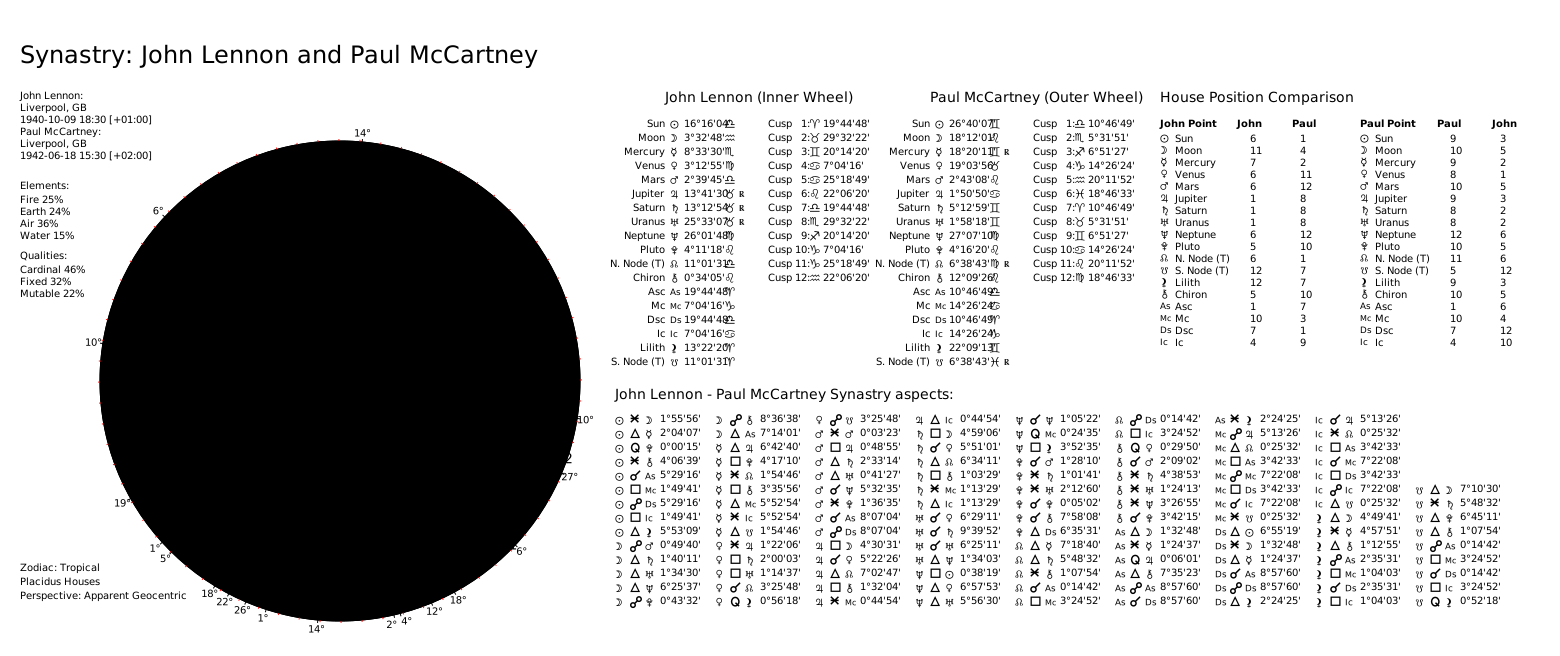
To create a Synastry Chart in v5, create two subjects with AstrologicalSubjectFactory, build a synastry ChartDataModel via ChartDataFactory, then render with ChartDrawer.
Here is an example:
from pathlib import Path
from kerykeion import AstrologicalSubjectFactory
from kerykeion.chart_data_factory import ChartDataFactory
from kerykeion.charts.chart_drawer import ChartDrawer

first = AstrologicalSubjectFactory.from_birth_data(
    "John Lennon", 1940, 10, 9, 18, 30,
    lng=-2.9833, lat=53.4, tz_str="Europe/London", online=False,
)
second = AstrologicalSubjectFactory.from_birth_data(
    "Paul McCartney", 1942, 6, 18, 15, 30,
    lng=-2.9833, lat=53.4, tz_str="Europe/London", online=False,
)

# Build synastry data and render
data = ChartDataFactory.create_synastry_chart_data(first, second)
drawer = ChartDrawer(data)

out_dir = Path(".")
drawer.save_svg(output_path=out_dir, filename="lennon-mccartney-synastry")
Note: If you want to save the output in a different directory, pass the output_path parameter to save_svg().
The output will be:
New Synastry Chart Features #
Aspect Table Grid View #
You can now display aspects in a grid format, providing a clearer and more organized view compared to the traditional list format. This feature enhances the readability and analysis of synastry charts.
Here is an example of how to enable the Aspect Table Grid View:
from kerykeion import AstrologicalSubjectFactory
from kerykeion.chart_data_factory import ChartDataFactory
from kerykeion.charts.chart_drawer import ChartDrawer

first = AstrologicalSubjectFactory.from_birth_data(
    "John Lennon", 1940, 10, 9, 18, 30,
    lng=-2.9833, lat=53.4, tz_str="Europe/London", online=False,
)
second = AstrologicalSubjectFactory.from_birth_data(
    "Paul McCartney", 1942, 6, 18, 15, 30,
    lng=-2.9833, lat=53.4, tz_str="Europe/London", online=False,
)

data = ChartDataFactory.create_synastry_chart_data(first, second)
drawer = ChartDrawer(data, double_chart_aspect_grid_type="table")
drawer.save_svg(output_path=".", filename="synastry-grid-view")
Need this in production? Use the Astrologer API for hosted calculations, charts, and AI interpretations - no server setup required. Learn more →